
Enterprise IT Solutions Built for Scalability, Security, and Seamless Digital Transformation
Enterprise IT solutions are integrated technology frameworks designed to address the operational needs of large organizations by unifying infrastructure, software, and data workflows. These systems operate through centralized architectures, such as cloud platforms and distributed databases, that enable scalable processing of high-volume transactions and secure cross-departmental collaboration. Their primary value lies in automating critical business processes and providing real-time visibility, which reduces manual overhead and supports data-driven decisions. Adoption requires aligning the solution’s deployment model—whether on-premises, hybrid, or multi-cloud—with existing workflows and defining clear governance for access and performance monitoring.
What Does a Full-Scale Enterprise IT Stack Actually Include?
A full-scale enterprise IT stack is less about a single product and more about layered systems working together. At the base, you have the physical or cloud infrastructure—servers, storage, and networking—which supports the virtualization layer. Above that sits the platform tier: operating systems, databases, and middleware that let applications actually run. The application layer holds your core business tools like ERP, CRM, and custom software. Crucially, you can’t forget the data layer, which includes data lakes, warehouses, and ETL pipelines for analytics. Wrapping around all of this are security controls—identity management, firewalls, and encryption—plus monitoring and logging tools. The real stack is the integration fabric that connects these tiers via APIs and message queues, ensuring data flows seamlessly.
A stack isn’t complete unless you have a service mesh or ESB handling the messy connections between departments’ tools.
Finally, add automation and CI/CD pipelines to manage updates across every layer without downtime.
Core Infrastructure Components: Servers, Virtualization, and Hybrid Storage
The foundation of any enterprise IT stack rests on core infrastructure components: servers, virtualization, and hybrid storage. Physical servers provide raw compute, but virtualization abstracts these resources into portable VMs, enabling rapid scaling and hardware consolidation. Hybrid storage then tiers active data on NVMe or SSD for low-latency transactions, while less-critical archives sit on HDD or object storage. This combination creates a balanced performance-to-cost ratio. Deployment follows a clear sequence: first, provision physical hosts with redundant power and networking; second, install a hypervisor layer for resource pooling; third, configure storage tiers with automated policy-based migration between flash and spinning disk. Finally, integrate management tools to monitor capacity and I/O bottlenecks across all three layers.
Software Layers: ERP, CRM, and Middleware Integration Essentials

ERP, CRM, and middleware form the operational core of any enterprise stack. The ERP (like SAP or NetSuite) handles finance, inventory, and order management, while the CRM (like Salesforce) tracks every customer interaction and sales pipeline. The real magic, however, lives in middleware integration essentials—the glue that syncs these systems in near real-time. Without it, you’re manually exporting CSVs and praying data matches. Use an integration platform (iPaaS) or API gateway to automate bidirectional flows: new orders from CRM should instantly update ERP stock levels, and invoice statuses should flow back to the sales rep’s dashboard. Always map your data fields first, then schedule sync intervals (e.g., every 5 minutes) to avoid bottlenecks.
Q: Do I really need middleware if my ERP and CRM are from the same vendor?
A: Even same-vendor suites often have gaps—like custom objects or third-party tools (payment gateways, marketing automation). Middleware gives you flexible routing, error handling, and transformation without forcing rigid native connectors. Yes, you’ll want it.
How to Match Technology Architecture to Your Company’s Operational Workflow
Matching your technology architecture to operational workflow begins by mapping the actual sequence of tasks your teams execute daily, not the idealized process charts. Decompose each workflow into decision points, handoffs, and latency bottlenecks, then select enterprise IT solutions that mirror these steps natively rather than forcing adaptation. Prioritize modular architectures—such as microservices or event-driven systems—that let you reconfigure integration layers as workflows evolve, avoiding monolithic platforms that dictate rigid paths. Deploy integration middleware only where data must cross functional silos, and resist the temptation to automate every step, since some human judgment steps should remain deliberately manual for quality control. Validate the match through pilot runs on the highest-volume workflow first, measuring throughput and exception rates before full rollout. Architecture must follow the work, not the other way around. Every enterprise IT choice should eliminate a tangible operational friction point.
Mapping Business Processes Before Selecting Hardware or Cloud Services
Before committing to any infrastructure, diagram every operational step from order intake to delivery, including exceptions and peak-load triggers. Mapping business processes before selecting hardware or cloud services exposes latency chokepoints, data handoff failures, and manual interventions that dictate whether you need on-premise GPUs for real-time rendering or scalable cloud queues for batch processing. A workflow that spikes seasonally but runs lean otherwise demands auto-scaling APIs and vendor-neutral orchestration, not fixed-capacity servers. Conversely, a process relying on legacy database triggers may force local storage to avoid cloud egress penalties. Model each task’s CPU, memory, and network profile, then match those specifications to specific instance types or edge devices—never the reverse. Only after validating this map against actual employee tasks can you calculate true total cost of ownership and avoid overprovisioning by 40 percent.
Scalability Planning: Designing for 50 Users vs. 5,000 Users

Scalability planning hinges on the architectural divide between 50 and 5,000 users. At 50 users, a monolithic application on a single server with a shared database often suffices, emphasizing simplicity and low latency over redundancy. For 5,000, you must shift to horizontally scalable microservices, introducing load balancers, distributed caches, and database sharding to prevent bottlenecks. Crucially, capacity testing at 50 users validates feature logic, but at 5,000 it validates concurrent session handling and resource contention. Choose synchronous APIs for small teams, but adopt asynchronous queues and event-driven patterns to absorb 100x traffic spikes without degrading transactional integrity.
| Aspect | 50 Users | 5,000 Users |
|---|---|---|
| Database | Single instance, vertical scaling | Read replicas, sharded clusters |
| Deployment | One-time release | Blue-green, rolling with auto-scaling |
| Failure handling | Manual restart | Self-healing, circuit breakers |
| State management | Local session store | Centralized Redis or distributed cache |
Key Features to Prioritize When Evaluating an Enterprise-Grade Platform
When evaluating an enterprise-grade platform for IT solutions, prioritize identity and access management integration, because your teams live across SSO, MFA, and role-based provisioning daily. Next, scrutinize observability tooling—can the platform export structured telemetry to your existing SIEM or tracing stack without proprietary lock-in? That matters when your on-call engineers debug a multi-region incident at 3 a.m. Equally critical is API rate limiting and granular audit logging; finance and security won’t approve anything that obscures who changed what, when, under which token. Finally, check deployment flexibility—hybrid or private cloud runtimes—because your data residency rules aren’t a suggestion. A platform that fails these basics becomes a second job, not a solution. Test the rollback path before you sign anything, as that often determines your team’s actual downtime.
Built-in Security Controls: SSO, Role-Based Access, and Data Encryption
When evaluating enterprise IT solutions, prioritize built-in security controls that function without added configuration overhead. Single Sign-On (SSO) eliminates password sprawl by centralizing authentication through SAML or OIDC, directly reducing credential-based breach risks. Role-Based Access Control (RBAC) must map granular permissions to job functions, ensuring users only reach data necessary for their tasks, limiting lateral movement. Data encryption should cover both at-rest storage (AES-256) and in-transit traffic (TLS 1.3), with key management integrated into the platform. Verify these controls work together: SSO establishes identity, RBAC enforces policy, and encryption protects the outcome. A platform lacking any one of these forces you to bolt on third-party tools, increasing complexity and attack surface.
API-First Design and Seamless Legacy System Connectivity
An enterprise-grade platform must prioritize API-first design for seamless legacy system connectivity, ensuring modern workloads integrate with existing infrastructure without costly rewrites. Prioritize platforms exposing granular, versioned REST and GraphQL endpoints, enabling your team to orchestrate data flows between cloud-native services and mainframe or ERP systems. A robust API gateway with transformation layers converts legacy protocols—like SOAP or IBM MQ—into standardized JSON payloads, reducing integration friction. Look for built-in connectors for common legacy databases and middleware, plus support for event-driven messaging to synchronize transactions in real time. This approach extends the lifespan of legacy investments while enabling incremental modernization, avoiding the risk of big-bang migrations.
Measuring the Real Benefits: Cost Efficiency, Uptime, and Productivity Gains
Measuring the real benefits of enterprise IT solutions demands shifting from license costs to operational impact. Track total cost of ownership by comparing pre- and post-deployment spend on manual administration, hardware decay, and energy draw—not just the invoice. For uptime, monitor actual service availability against agreed thresholds, then convert every 0.1% of improvement into lost-revenue avoided per hour. Productivity gains are trickier: measure task completion time before and after, using direct user timestamps, while filtering out seasonal noise.
The most telling metric is not raw speed but the reduction in cross-team waiting time, which often hides the true ROI.
Tie each gain to a business unit’s budget line, and validate quarterly through automated dashboards, not anecdotal feedback. This makes efficiency, reliability, and throughput tangible for CFO sign-off.
Calculating Total Cost of Ownership Beyond the Initial License Fee
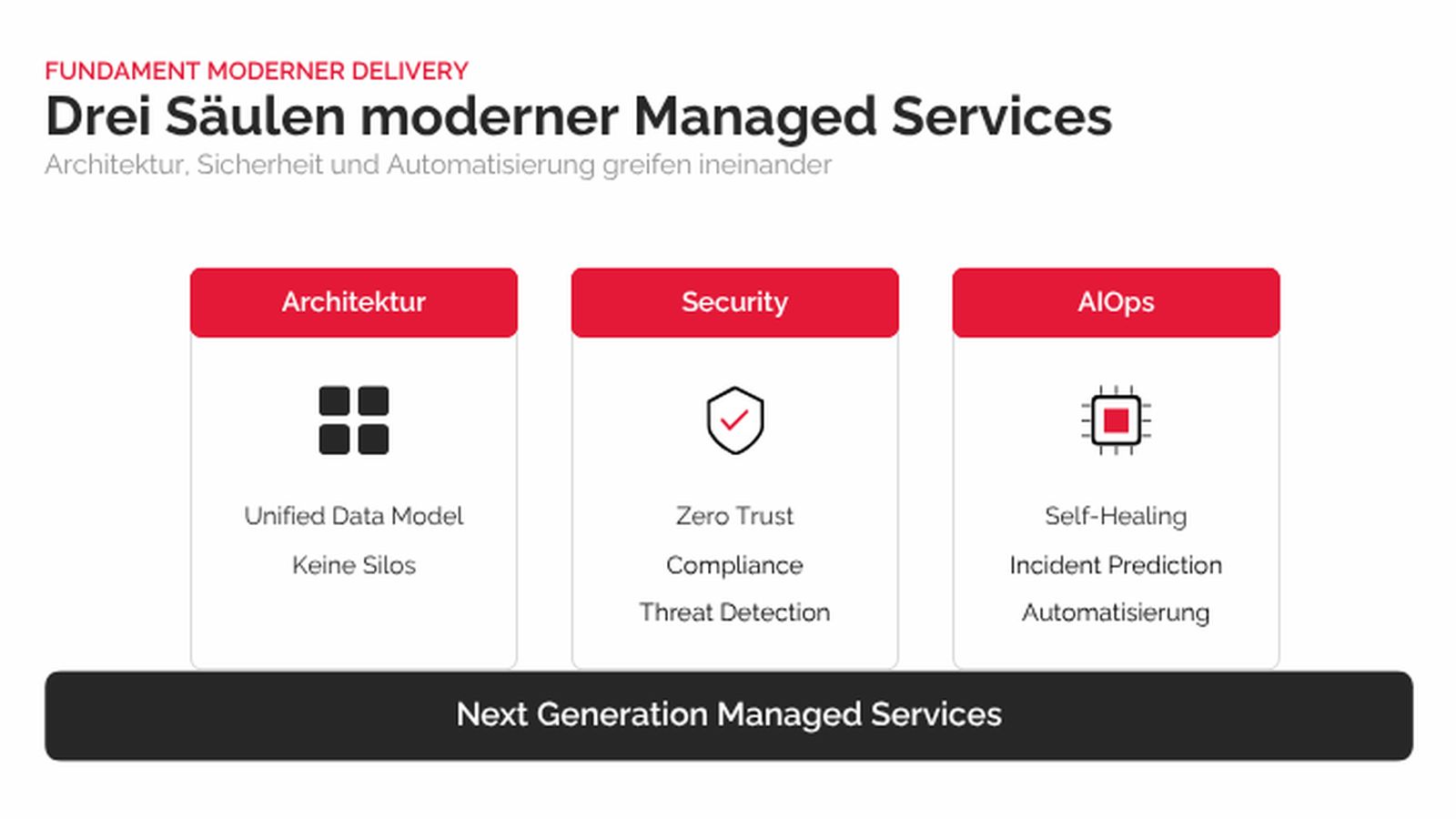
Calculating total cost of ownership beyond the initial license fee means dissecting every operational expense that surfaces post-purchase, from implementation and integration to training and ongoing support. You must model hardware refresh cycles, data migration costs, and the hidden drain of customizations needing constant maintenance. Factor in the energy consumption of on-premise infrastructure or the compounding egress fees of cloud deployments, plus the personnel hours spent on patching and troubleshooting. A realistic TCO model also penalizes downtime, assigning a financial value to every minute your teams cannot access critical tools. Compare this fully loaded figure against your productivity gains, not just sticker price, to reveal whether a cheaper upfront option actually costs more over its lifecycle.
Total cost of ownership beyond the initial license fee is the true financial compass, covering deployment, maintenance, energy, and downtime to expose the real price of enterprise IT.
How Automation Features Reduce Manual IT Overhead in Daily Operations

Automation features directly cut manual IT overhead by replacing repetitive, rule-based tasks with self-executing workflows. Routine patching, user account provisioning, and log rotation run on schedules or event triggers, eliminating the need for staff to initiate each action. This reduces ticket volume for password resets and access requests, as self-service portals with automated approval chains handle these without human intervention. Proactive health checks and auto-remediation scripts resolve common infrastructure faults before they become incidents, shortening mean time to repair. Consequently, administrators shift from reactive firefighting to monitoring automated processes and handling exceptions, allowing leaner operations teams to manage larger environments. This operational streamlining forms the core of IT overhead reduction through automation.
On-Premises, Cloud, or Hybrid: Choosing the Right Deployment Model
Choosing between on-premises, cloud, or hybrid deployment for enterprise IT solutions hinges on workload sensitivity and operational latency. On-premises gives you absolute control over data residency and hardware performance, ideal for legacy systems with strict compliance needs, but it demands heavy CAPEX and internal skill for patching and scaling. Cloud offers elastic provisioning and managed services, letting you scale compute or storage instantly, yet egress fees and multi-tenant variability can undermine predictable cost and throughput. Hybrid is the pragmatic middle: keep core transactional databases and regulated data on-prem, while bursting analytics or dev/test workloads to the cloud.
Map each application’s recovery time objective and data gravity—not vendor buzzwords—to decide where it runs.
For most enterprises, start hybrid, then migrate only stable, stateless services to cloud once you prove network and security baselines.
When a Private Cloud Setup Beats Public Cloud for Sensitive Data
When your enterprise handles sensitive data—think customer records or proprietary code—a private cloud setup often beats public cloud because you control the exact hardware, network paths, and encryption keys. No neighbor tenants share the same hypervisor, so the attack surface is smaller, and compliance audits become simpler when you can physically point to where data lives. Latency also drops sharply for internal apps, since traffic never leaves your perimeter. Private cloud can be the best deployment model for sensitive data when you need predictable isolation without public cloud’s noisy-neighbor risks. You also avoid surprise egress fees when moving large datasets internally.
- You define firewall rules and access policies down to the physical rack level.
- Data residency is guaranteed by your own walls, not a provider’s region map.
- Custom security tooling (e.g., HSM or anomaly detection) integrates directly with your infrastructure.
Step-by-Step Guide to a Phased Migration Without Downtime
Begin with a read-only replica of your production environment to validate data integrity and application compatibility. Next, shift batch processes and non-critical workloads to the target platform, monitoring latency and error rates for a full refresh cycle. Then, use a dual-write strategy for transactional systems, where writes are mirrored to both environments, with a rollback mechanism if reconciliation fails. After stabilizing the delta, cut over user traffic incrementally—starting with internal teams—while keeping the legacy system active for reads. Finally, decommission the old environment only after a sustained soak period, confirming replication lag is zero. This ensures phased migration without downtime preserves continuity.
A phased migration without downtime relies on replicas, dual-writes, bongroup.org incremental cutover, and a verified decommissioning window.
Common Pitfalls to Avoid and Practical Tips for Smooth Implementation
The moment you believe the rollout plan is bulletproof is the moment shadow IT quietly begins. A classic pitfall is skipping stakeholder mapping—when department heads discover the solution after procurement, they resist, building workarounds that fragment data. Instead, run a pilot with a cross-functional team that includes someone who actually files the daily reports, not just their manager. Another trap is treating data migration as a technical chore. Map every legacy field to its new home before touching servers; missing a customer-reference column will surface six months later in billing. Keep a decision log—when the finance lead asks why approval thresholds changed, you’ll have the answer. Finally, schedule training *after* basic configuration, not before, so users learn the real interface, not a mockup that will change.
Why Underestimating Data Migration Complexity Breaks Timelines
Underestimating data migration complexity is a primary reason enterprise IT timelines collapse, as raw volume rarely reflects true friction. Legacy systems harbor hidden formatting inconsistencies, orphaned records, and business rules encoded in obscure fields, which demand far more cleansing and transformation than initial estimates assume. When your team allocates only a few days for schema mapping or deduplication, every unexpected data type or null-value cascade pushes go-live further out. Moreover, **pre-migration data profiling**—not just sampling—is essential, since discovering referential integrity breaks mid-cutover forces rollbacks and rework. Without a buffer for validation cycles and stakeholder sign-offs, even a well-planned migration stalls. Budget for iterative testing against production-like data, because assuming a straight copy is the fastest way to blow your deadline.
Q: Why does underestimating data migration complexity break timelines?
A: It breaks timelines because unforeseen data quality issues, legacy format quirks, and cross-system dependencies surface only during execution, consuming the hours you reserved for final testing and forcing emergency replanning.
User Training Tactics That Prevent Resistance and Maximize Adoption
Resistance usually isn’t about the tech—it’s about feeling sidelined. Start training *before* go-live, using real workflows your teams actually recognize, not generic slides. Pair bite-sized video demos with sandbox time where people can click around safely. Identify “champion users” in each department and let them offer peer support, which beats any helpdesk ticket. Instead of one marathon session, run short, recurring office-hours clinics for ongoing questions. Frame everything around “what’s in it for you” (faster reports, fewer manual steps) rather than feature lists. Encourage messy, hands-on practice, and celebrate small wins publicly.
Question: What’s the fastest way to reduce training resistance? Answer: Let users fail in a safe sandbox first—it builds confidence and turns fear into curiosity, making adoption feel natural instead of forced.
Comentarios recientes